
In recent years, “vibe coding” has become a highly viral term. It describes a new development experience: you describe requirements in natural language first, AI quickly produces code, and then you run, adjust, and iterate as you go.
This path works well for prototypes, small tools, and personal apps. It is also effective for engineers who want to validate ideas quickly.
But in enterprise application scenarios, the core of many requirements is not the code itself. What users actually need to land usually includes:
- Data structures (fields, types, relationships)
- Form layouts
- Business rules
- Permissions and workflows
- Ongoing maintenance and collaboration
So in enterprise software, there is a more accurate concept for describing AI enablement:
Vibe Visual Composition
Users express intent in natural language, and AI helps them complete “visual application structure orchestration.”
The focus of this paradigm is to build the business structure first, then move into configuration, validation, and operation. It is closer to how enterprise applications are actually built.
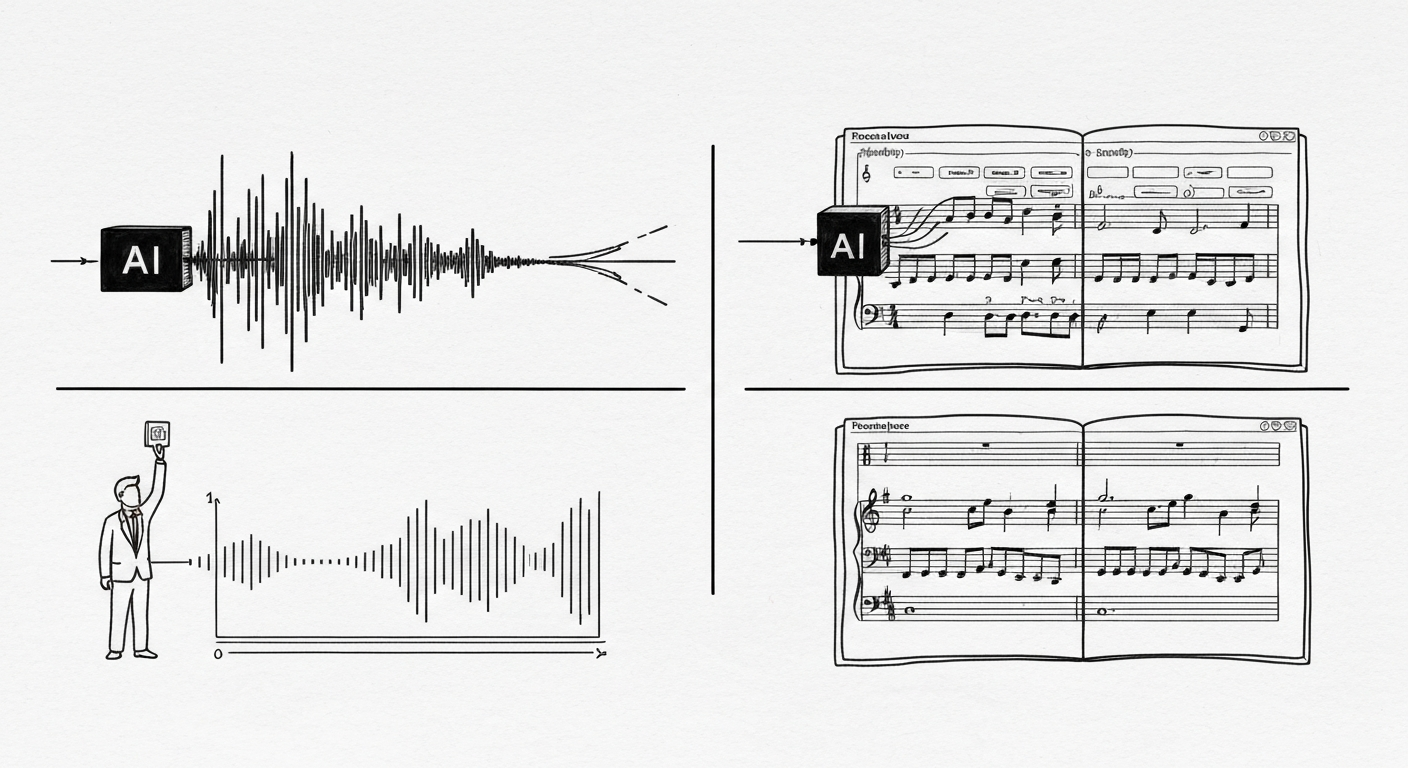
A useful analogy comes from AI music: some tools directly generate audio files, while some professional software uses AI to generate editable scores. After generation, users can still refine the result in a visual interface. In music, writing a score is called composition. This analogy is well suited to explain two AI paradigms in enterprise apps: one is biased toward “direct result generation,” and the other toward “editable structure generation.”
Why Enterprise Applications Are Better Suited to Visual Composition
In Nocoly HAP, a worksheet is essentially the basic unit of a business data model. The documentation describes traditional worksheet creation clearly: create a worksheet, add fields, set field attributes, set form style, save, then revise and optimize. The process is complete, but the cognitive load is still high for business users.
The value of AI here is straightforward: it can convert “what kind of business table I want” into a structured result of fields + relationships + initial configuration.
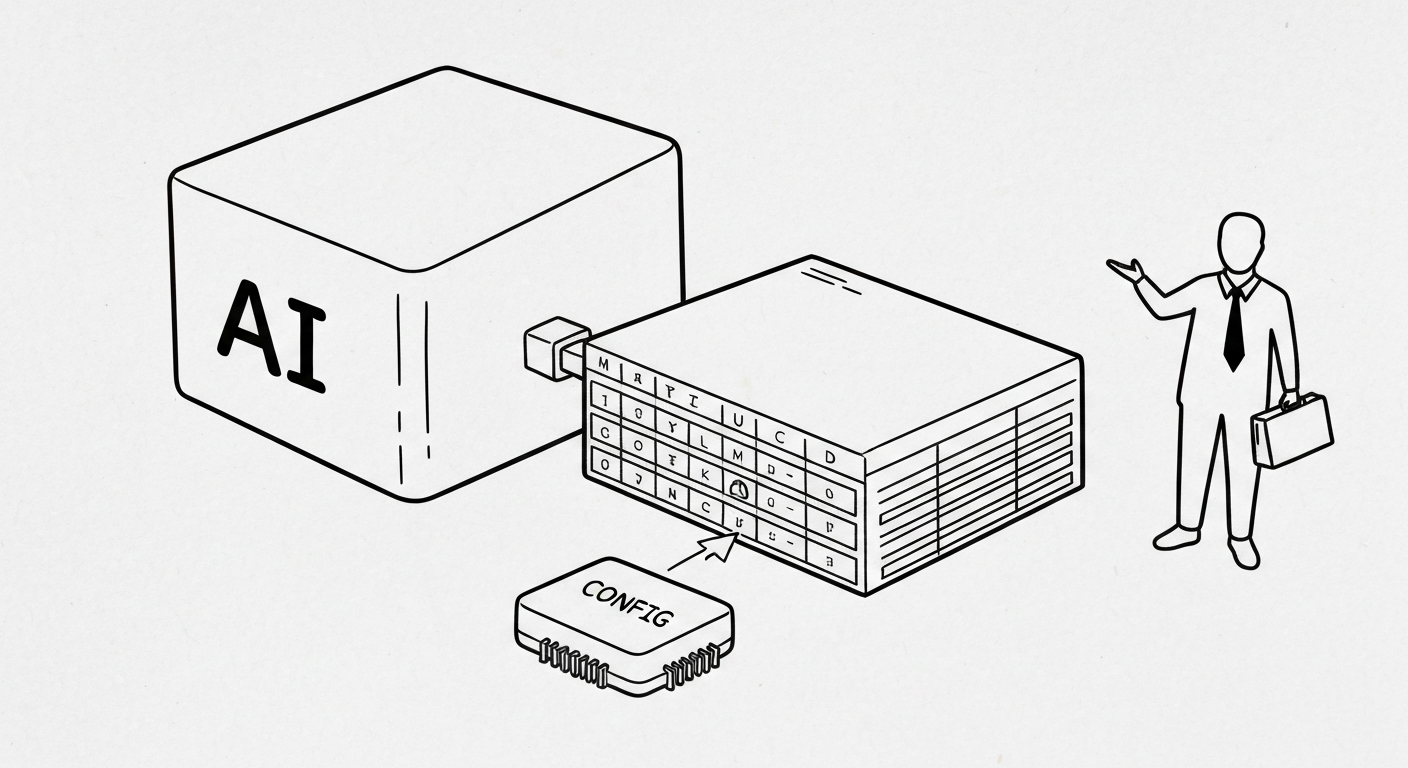
Nocoly Help Center is also clear about Mingo’s role: it is an in-app AI assistant, can be invoked with shortcut key M, and supports “AI worksheet creation.”
This is exactly a typical form of Vibe Visual Composition:
- The user first describes business requirements
- AI outputs a structural proposal first (fields and relationships)
- The user confirms before generation
- The user makes minor fixes in a visual interface
This method aligns better with how enterprise users work, because it maps to business objects rather than forcing users into code-first thinking.
Mingo’s AI Worksheet Creation Is a Template of This Paradigm
According to Nocoly Help Center, Mingo’s “AI worksheet creation” flow can be summarized in three steps:
1) Enter Requirements or Choose a Recommended Template
Users enter the worksheet they want and a description, or directly choose a recommended template.
Mingo first lists included fields and relationships. Users click “Start Creating” only after confirmation. If they are not satisfied, they can keep refining through conversation.
This step is critical. It puts structural confirmation before generation, which is safer for enterprise scenarios and lowers the cost of errors.

2) Automatically Generate Fields and Base Configuration
After confirmation, the system automatically creates fields, configures field properties, and generates icons and layout styles. The Help Center also gives a representative detail: for fields like “gender,” option values are auto-configured.
This indicates AI is not only helping with field naming. It is also doing semantic understanding and initial configuration completion.
3) Generate Related Tables (Optional)
If related tables have not been created, the system prompts users to continue creating related worksheets, or skip for now.
This step resembles “relationship expansion” in business modeling. It is also one of the strengths of visual configuration platforms: they are naturally suited for expanding from a single table to a multi-table relational structure.
Compared with Vibe Coding, the Core Difference Is the Landing Point
Both approaches emphasize “express intent first,” but the object they accelerate is different.
Landing Point of Vibe Coding
- Generate code
- Run code
- Debug code
- Continuously iterate on code
Landing Point of Vibe Visual Composition
- Generate business object structures (worksheets, fields, relationships)
- Generate base configuration (field attributes, layouts)
- Confirm and adjust in a visual interface
- Gradually expand into a complete business application
The former is an AI + code editor experience.
The latter is an AI + visual application modeler experience.
For platforms like HAP, the latter is closer to product positioning and easier for enterprise customers to understand: you are building a business system.

User Experience Comparison for the Same Typical Requirement
To explain the difference clearly, we can compare with the same requirement:
Example requirement:
“I want to build a customer visit management app, including customer information, visit records, follow-up status, owner, and next follow-up time. Later I also need to add permissions and workflows.”
Paradigm A: Vibe Coding (AI + Code Editor)
Typical users
- Engineers
- Technical product managers
- People who can handle environment and debugging issues
Common experience flow
- The user describes requirements, and AI generates a first version of code (frontend/backend/database model or demo).
- The user runs it locally and handles dependencies, versions, and errors.
- The user adds more requirements (field types, permissions, state enums, approval logic, etc.).
- AI keeps modifying code, and the user keeps running, debugging, and fixing.
- After multiple iterations, a usable system or prototype is formed.
User perception
- The first version of code arrives quickly
- The polishing process is usually long
- Time is spread across environment setup, troubleshooting, refactoring, and API integration
Output characteristics
- High flexibility
- Strong personalization capability
- Long-term maintenance depends on continuous engineering investment
Paradigm B: Vibe Visual Composition (AI + Visual Application Modeler)
Typical users
- Business owners
- Operations/implementation consultants
- Enterprise administrators
- People who understand business processes but do not want to go deep into code details
Common experience flow (using HAP / Mingo as an example)
- In the app, the user presses M to open Mingo and selects “Create Worksheet.”
- The user enters a requirement: “Create a customer visit management table including customer name, contact person, visit date, visit content, status, owner, next follow-up time…”
- Mingo first lists fields and relationships. The user confirms at the structural level, and if anything is not suitable, keeps refining through dialogue.
Users interactively validate and refine the structure in nocoly HAP.
- The system automatically generates fields, field properties, icons, and layout styles.
- If needed, related tables are generated next; then users fine-tune fields, add permissions, and add workflows in the visual interface. (These follow-up steps can also be completed through Vibe Composition.)
User perception
- The first version of the business structure appears quickly
- Changes are concentrated at field and rule levels
- It is easier to review and revise together with business colleagues
Output characteristics
- A runnable business structure is delivered directly
- Multi-person collaboration and handoff costs are lower
- Better suited for long-term operation and gradual expansion
How to Compare Output Efficiency
It is difficult to make absolute numeric promises here because team capability and project complexity vary greatly. But from a user education perspective, one stable comparison can be made clear:
In Vibe Coding, AI improves “code production speed”
The first version of code is often generated quickly, but users still spend substantial time on:
- Runtime environment
- Error troubleshooting
- Schema adjustment
- UI modification
- Permissions and workflow logic completion
The common experience is: fast generation, long polishing.
In Vibe Visual Composition, AI improves “business structure delivery speed”
After the first structure appears, users focus on:
- Fine-tuning field names and types
- Confirming relationships
- Completing permissions and workflows
- Validating business logic with sample data
The common experience is: fast first usable structure, more stable follow-up iteration.
Visual composition facilitates rapid initial prototyping and robust iterative development.
For enterprise apps, this difference matters. In many cases, what determines go-live speed is business structure and organizational collaboration, not just coding speed.
When to Use Vibe Coding vs. Vibe Visual Composition
Scenarios Better Suited to Vibe Coding
- Rapid prototyping by technical teams
- Highly free custom logic is required
- Standalone tools, plugins, or script projects
- Engineer-led efforts where code assets are maintained long term
Scenarios Better Suited to Vibe Visual Composition
- Internal enterprise system building
- Data structures, permissions, and workflows are core
- Business and IT need to co-maintain
- Fast launch with continuous evolution is desired
The two are not opposites. Many enterprises will eventually use both:
Some requirements are delivered quickly through visual composition, while a small set of complex capabilities is extended with code.
Conclusion
“Vibe Coding” has shown how quickly AI can change the software development experience.
“Vibe Visual Composition” is better suited to explain the next step in enterprise application building: let AI participate in business structure design, and let users continuously refine applications in visual interfaces.
AI empowers visual application design, facilitating continuous user refinement.
For platforms like HAP, this positioning is very natural. Mingo’s capability descriptions in the Help Center and release updates have already shown a clear direction: natural-language input, structured confirmation, automatic generation of fields and layouts, then business validation and workflow configuration.